





Step 1: Choose your hardware
Choose a robot and end-effector from the list of supported hardware components (see supported hardware >>). Configure the mountings in the robot configurator and automatically test network connectivity.

Program via Drag&Drop

Choose from a large set of templates
Import CAD data and extract curves

Simulate the robot’s motion

Use elaborate tools and functions
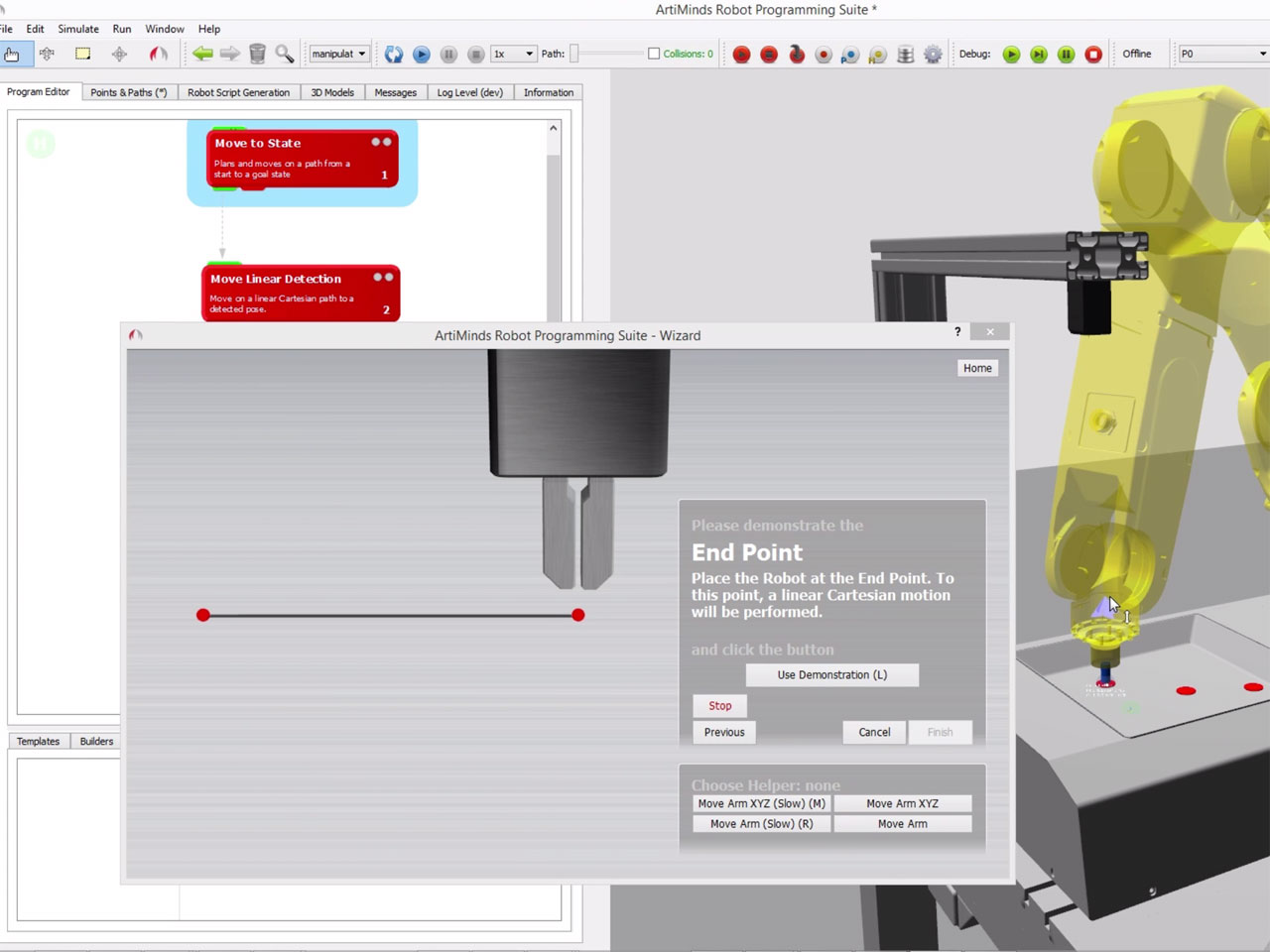
ArtiMinds RPS offers an extensive library with templates to solve your robot task with full-text search, preview videos and online help. Each template contains wizards with interactive step-by-step instructions to setup the parameters using only a few teach points. Reuse existing solutions for new applications by creating your own templates.
RPS is no black box: Expert-user have full access to all low-level parameters and can integrate custom code easily.
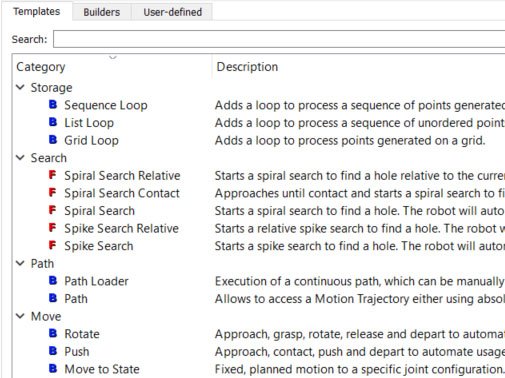
Choose from more than 25 templates in different categories, e.g. “move”, “grasping”, “path”, “storage” or “basics”. Interface builders allow to easily connect to PLCs, sensors and actuators.
move
Category move: linear, circular or P2P motions, relative linear motions, collision-free motions to specific joint states or 3D regions.
grasping
Category grasping: pick objects from holders, place objects into holders or preposition the gripper fingers.
path
Category path: execute paths captured from the real robot, imported from CSV files or created as splines from 3D points.
storage
Category storage: work with sequences, grids or lists of 3D points to solve tasks like machine loading from complex trays.
basics
Category basics: if/else, loops and subprograms. A group of templates can be easily morphed into these templates by a simple click.
Book a free online demo
WHAT TO EXPECT AND HOW LONG WILL IT TAKE?
Invest just 30 minutes of your time and we show you how you can program, analyze and optimize your robot applications with ArtiMinds RPS and ArtiMinds LAR easier, faster, more intuitive and consistent.
The non-binding web demo is the perfect way to find out if ArtiMinds RPS and LAR suit your needs and how the tools can support you .
ArtiMinds RPS allows to import .step files as well as mesh formats. Translate, rotate, scale and colorize CAD models or attach them to the robot end-effector. Easily create tool-paths directly from the CAD geometry or project existing paths onto curved surfaces. ArtiMinds RPS will automatically generate linear, circular or spline motions. Edit multiple paths on the same CAD, change the orientation of the tool along the path and modify the start point. By moving the reference coordinate frame of the tool-path you are able to easily calibrate it to the real world.
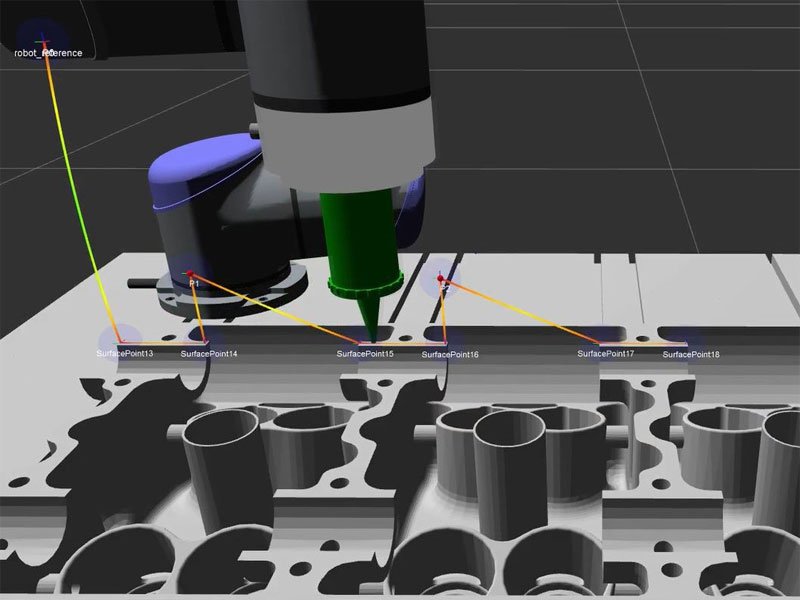
The integrated robot configurator enables you to set up your robot and end-effectors, change mountings or perform network connectivity tests easily. ArtiMinds RPS supports a broad set of standard hardware components to set up the simulation to your specific needs.
Simulate your robot program to estimate cycle times. Visualize the robot motion inside the robot cell and perform reachability tests or collision checks. Create, modify and group 3D points to parameterize templates based on the CAD with mathematical precision.
ArtiMinds RPS offers various tools to optimize cycle times and plan robot motions.
Collision-free motions
Use batch simulation to generate multiple, alternative collision-free robot motions and choose the best fitting option for your robot program.
Optimize and calibrate
Additional tools allow to optimize transfer motions by defining via-regions and to calibrate coordinate frames based on point measurements.
Live data plotting and documentation
Easily capture live sensor data during implementation and export it to a .csv file for documentation. Plot 2D diagrams with multiple, built-in channels for the robot and end-effector joint, flange and tool-center-point motion. Document your robot program using comments, colors and text export.
ArtiMinds RPS doesn’t require a CAD model of your robot cell or parts. Simply configure your robot in the robot configurator, add a few templates and start teaching with the real robot.
ArtiMinds RPS offers advanced features requiring CAD models to ease costly tasks like optimizing the layout of your robot cell.
Do you want to industrialize a specific product and would benefit from our support? ArtiMinds assists you during your first steps in flexible automation: contact our experts and get started with a first concept or a small feasability study! Start automating with ArtiMinds today!


Program and simulate robot applications independent of manufacturers, reduce maintenance costs and alleviate the lack of skilled workforces. Find out how ZF succeeds thanks to ArtiMinds!

We answer the most important questions about the ArtiMinds software solutions, applications and the company in our FAQ section.
How did VISOMAX solve the polishing of painted surfaces with robots? Find out more!